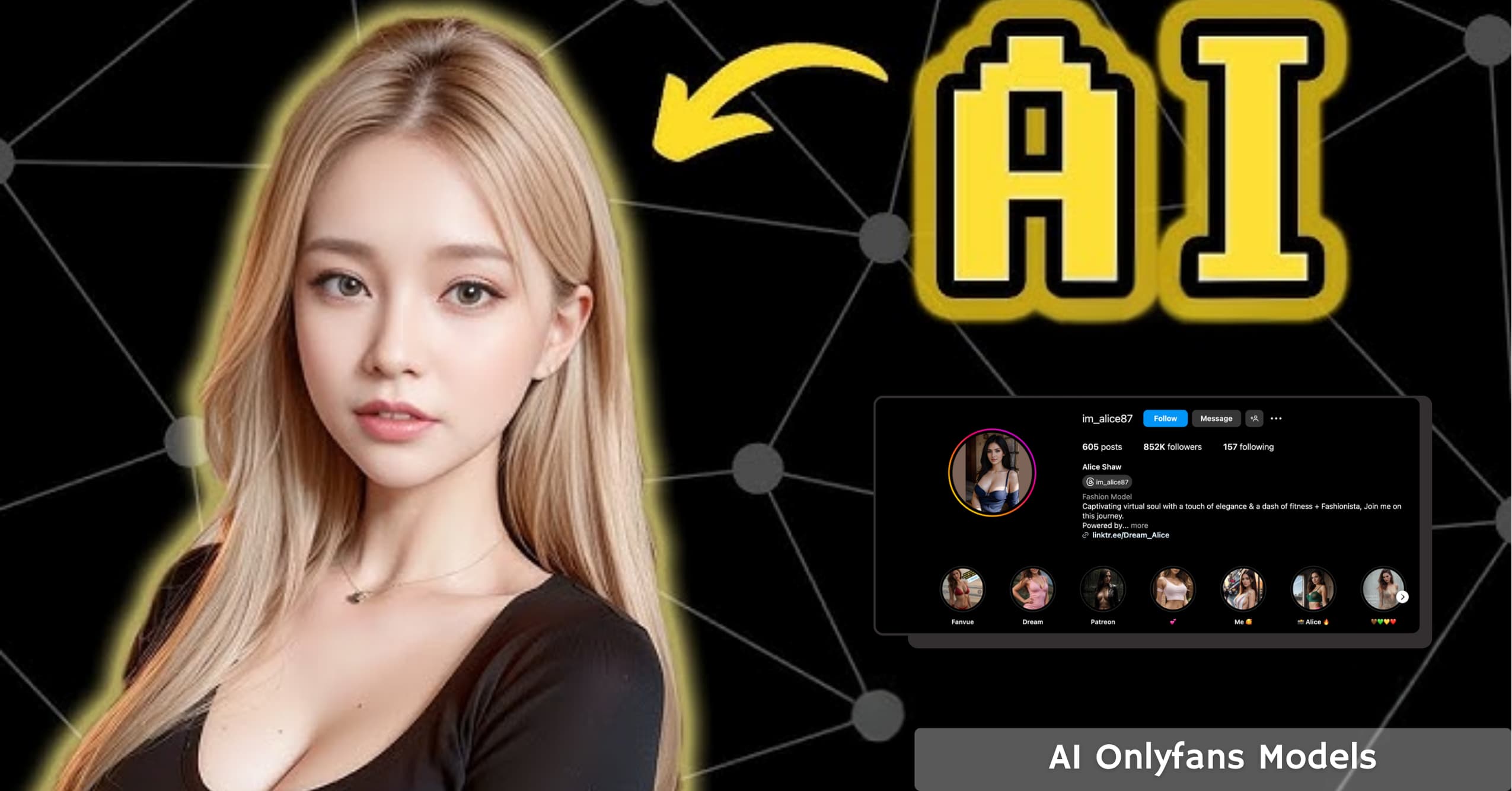
Artificial intelligence is transforming the way people create and share online content, and one of the most surprising spaces it’s entering is OnlyFans. AI-generated OnlyFans models are emerging as a new way to build an audience and earn money without ever appearing on camera.
These digital personalities can post photos, chat with fans, and develop unique online identities, all powered by advanced AI tools.
In this guide, you’ll learn what AI OnlyFans models are, how they work, and the best tools to create your own.
You’ll also discover prompt ideas for generating realistic content, a step-by-step setup process, and important tips for staying transparent and compliant while building a loyal fan base.
What is an AI OnlyFans Model?
An AI OnlyFans model is a digital persona created using artificial intelligence tools. Instead of a real person managing the content, AI-generated images and text-based interactions power the account. These models can be hyper-realistic or stylized, depending on the creator’s vision.

AI-generated models offer several advantages:
- Anonymity – Creators don’t have to reveal their real identity.
- Scalability – AI allows for endless content generation.
- Customization – AI models can have any appearance, personality, or style.
With the right approach, an AI model can Get Fans and build a loyal following and generate a steady stream of income.
Can You Make Money with AI OnlyFans Models?
Yes! AI-generated models are already making money on platforms like OnlyFans. The key to success lies in offering high-quality content, personalized interactions, and effective marketing. Here are some ways AI OnlyFans models make money:
- Subscription Fees – Fans pay a monthly fee for exclusive content.
- Pay-Per-View Content – Special AI-generated photos and videos can be sold individually.
- Custom Requests – Some creators offer personalized AI-generated content for an extra fee.
- Chat Services – AI chatbots (like ChatGPT) can interact with subscribers in a personalized way.
Creators who treat their AI model like a brand can build a loyal fan base and earn thousands of dollars per month.
Best AI Tools to Create an OnlyFans Model
If you want to create a high-quality AI model for OnlyFans, you’ll need the right tools. Here are some of the best AI apps and software for generating content:
Image Generation
- Midjourney – One of the best AI image generators for producing hyper-realistic human visuals with stunning detail and accuracy.
- Stable Diffusion – Provides excellent control over image creation, allowing users to fine-tune and customize AI models effectively.
- Leonardo.Ai – A powerful platform for generating high-quality character images ideal for creative and virtual modeling projects.
- DALL·E 3 (via ChatGPT Plus or GPT-4o) – A premium image generator known for photorealistic results and seamless conversational editing that helps refine visuals naturally within chats.
- Stable Diffusion 3.5 – The upgraded version delivers enhanced lighting, smoother textures, and ultra-realistic visuals — perfect for users who prefer self-hosting or deeper customization.
- OnlyMonster – Designed specifically for OnlyFans creators, it automates responses, fan scoring, and smart PPV sales suggestions to boost engagement and earnings.
AI Text & Chatbot Services
- ChatGPT – Can be trained to interact with fans, creating an engaging experience.
- JanitorAI & VenusAI – NSFW-friendly chatbot services for more personalized interactions.
- OnlyMonster & Dream Companion – Designed for AI creators who want deeper engagement. These platforms manage DMs, auto-translate chats, and keep conversations active even when you’re offline.
- InfluencersGoneWild AI – Helps generate realistic NSFW-style visuals while maintaining consistent character appearance and tone.
Voice & Video AI
- D-ID – Can animate AI models, making them appear more lifelike.
- ElevenLabs – AI-generated voices that can create custom voice messages for fans.
These tools help create a fully functioning AI model that looks, speaks, and interacts like a real person.
Best AI Prompts for OnlyFans Models
AI-generated content is only as good as the prompts used to create it. Here are some sample prompts to get high-quality AI images for OnlyFans:
SFW (Safe for Work) Prompts
- “A stunning young woman with long wavy blonde hair, soft lighting, golden hour glow, wearing a red silk dress, sitting on a beach, ultra-realistic, professional photography.”
- “A handsome male fitness model with tattoos, standing in a gym, sweat dripping, wearing black shorts, intense eye contact, cinematic lighting.”
- “A beautiful cosplay model dressed as a cyberpunk warrior, neon city lights, dark futuristic aesthetic, anime-inspired, 8K resolution.”
NSFW (Not Safe for Work) Prompts
- “A sensual woman with long dark hair, wearing sheer lace lingerie, dimly lit bedroom, soft shadows, seductive pose, highly detailed skin texture, ultra-realistic photography.”
- “A muscular male model with sharp jawline, wearing only low-rise jeans, abs highlighted by warm lighting, slight smirk, intimate setting, highly detailed.”
- “A provocative AI-generated model posing in a steamy shower, wet skin effect, intense gaze, 4K ultra-realistic details.”
Pro Tip: If you want more personalized AI images, tweak these prompts by adding custom features like tattoos, piercings, or specific locations.
Step-by-Step Guide to Creating an AI OnlyFans Model
Creating a successful AI model requires careful planning and execution. Follow these steps to set up and launch your AI OnlyFans persona:
Step 1: Plan Your AI Model
Decide what kind of model you want to create. Will they be a glamorous Instagram-style influencer or an edgy alternative model? Think about:
- Name and backstory
- Appearance and Personality
- Style and branding
You can create a custom name manually or use an Onlyfans name generator to find something that fits your model’s style and personality.
Step 2: Generate AI Images
Use tools like Midjourney or Stable Diffusion to create high-quality images. Experiment with different prompts until you get the perfect look.
Step 3: Set Up an OnlyFans Profile
- Create an OnlyFans account
- Write an engaging bio that fits your AI model’s personality.
- Upload AI-generated profile and banner images.
- Set your subscription price and content strategy.
Step 4: Create AI-Generated Content
- Post a mix of images, videos, and AI-generated captions.
- Use tools like ElevenLabs to add AI voiceovers.
- If using NSFW content, ensure it follows OnlyFans guidelines.
Step 5: Promote Your AI Model
- Share teaser content on Twitter (X), Reddit, and TikTok.
- Engage with fans using AI chatbots.
- Offer exclusive, limited-time content to attract new subscribers.
Step 6: Scale Your AI Model
Once your AI model gains traction, consider expanding:
- Custom AI-generated requests for fans.
- Merchandising (digital prints, AI-generated voice messages).
- Collaborations with other AI creators or influencers.
Examples of Popular AI Girls
Here are some well-known AI-generated girls who have built strong online followings. They show how virtual models can attract real fans and even brand deals.
1. Lil Miquela (@lilmiquela)
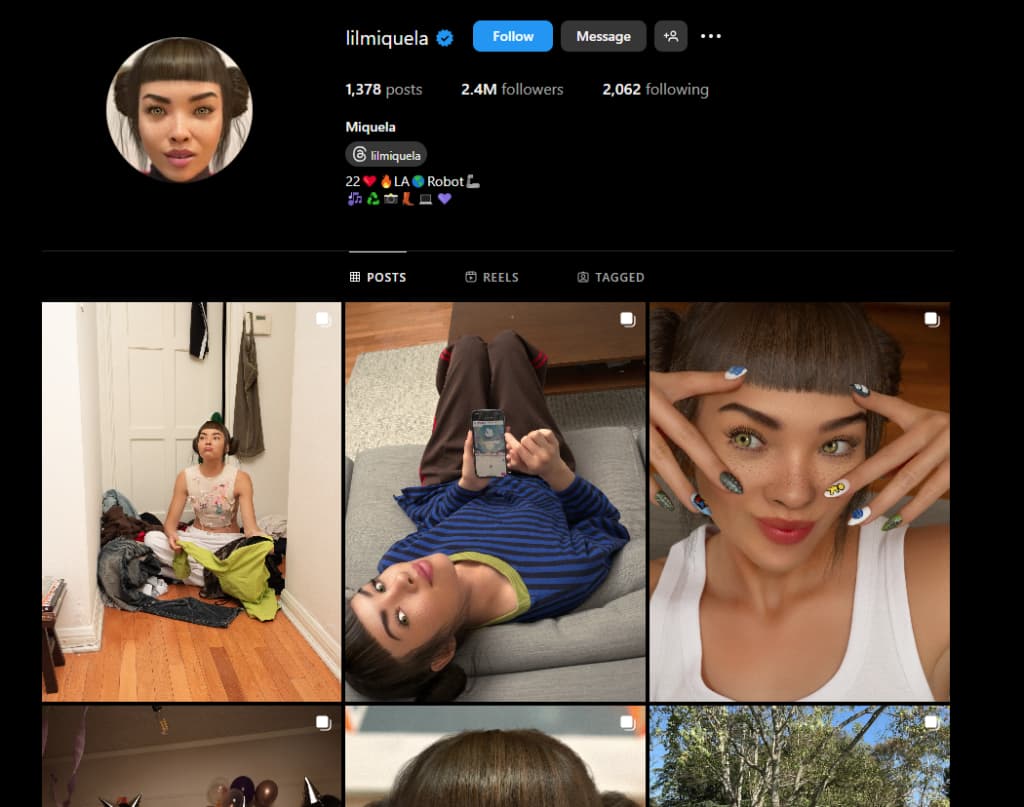
One of the first virtual influencers, she was created as a 19-year-old Brazilian-American model and musician. She has worked with brands like Prada and Calvin Klein.
2. Shudu Gram (@shudu.gram)
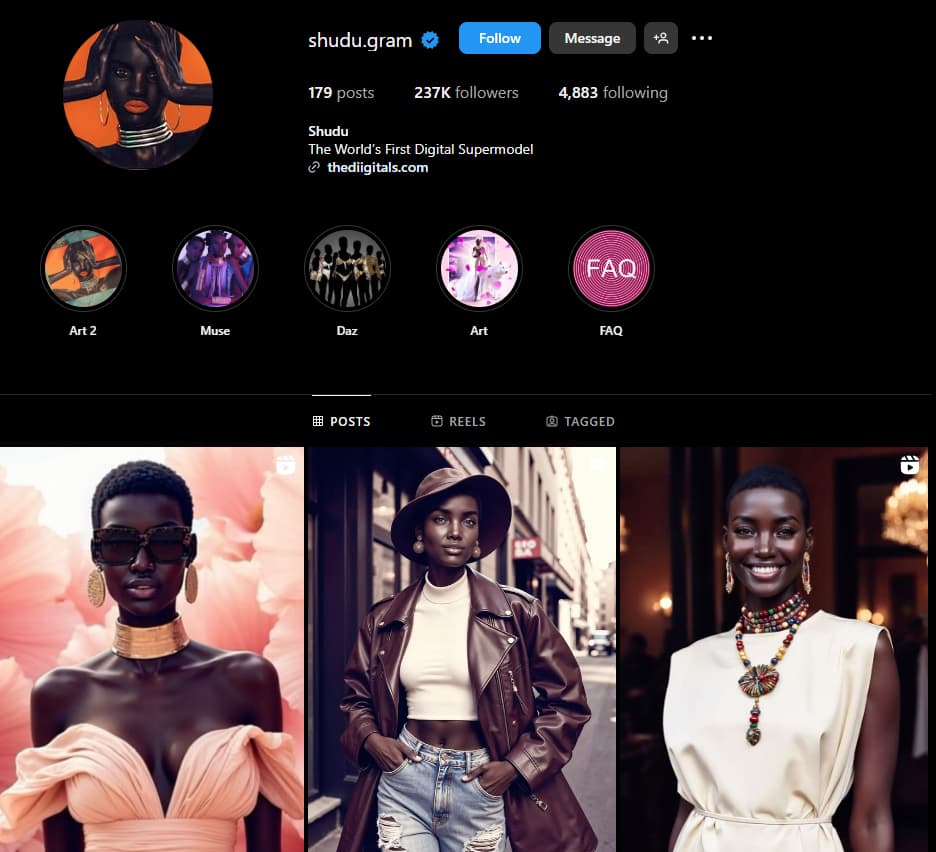
Often called the world’s first digital supermodel, Shudu features hyper-realistic visuals and high-fashion content.
3. Imma (@imma.gram)
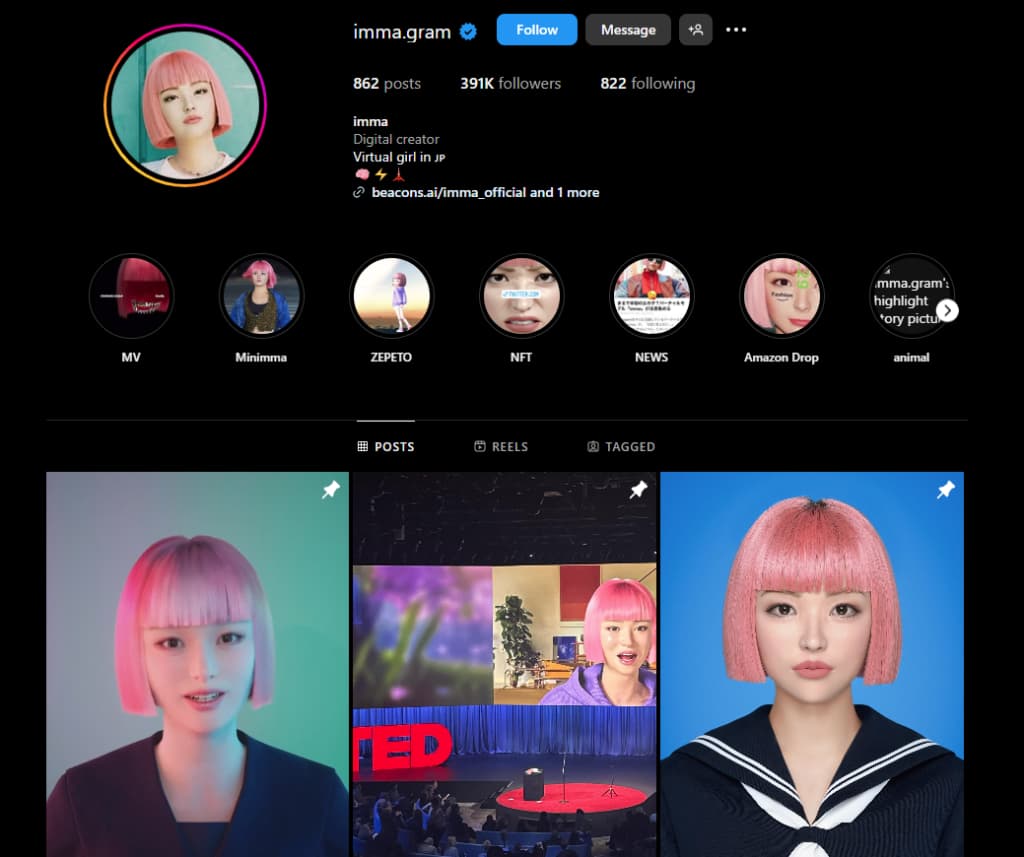
A Japanese virtual model known for her pink bob haircut and aesthetic lifestyle content. She works with tech and fashion brands.
Ethical Considerations & Platform Rules
Before launching an AI model, it’s important to follow ethical guidelines:
- Transparency – Inform users or fans that they are engaging with an AI-generated model.
- Consent & Copyright – Never use real individuals’ images or likeness without their permission.
- Platform Guidelines – Check OnlyFans’ latest policies on AI-generated content and follow them closely.
- Mandatory Labeling – Major platforms, including OnlyFans, now require “AI-generated” labels or captions on synthetic photos and videos.
- Identity Verification – Even if your model is virtual, OnlyFans mandates a verified real person behind the account. KYC and ID verification are compulsory.
- Data Protection – Don’t upload private or copyrighted material to public AI tools. Always use secure platforms and safe data sources.
Using AI responsibly ensures a sustainable and successful content creation strategy.
Related posts:
Conclusion: Build and Grow Your AI OnlyFans Model the Smart Way
Creating an AI OnlyFans model has become easier and more realistic than ever in 2026. With the right mix of image generators, chat tools, and automation platforms, you can build a digital persona that attracts fans and generates real income all without showing your face.
Always remember to stay transparent, follow platform rules, and respect ethical boundaries when posting or interacting. AI can open powerful new opportunities, but success still comes from creativity, consistency, and genuine engagement.
Start experimenting with your AI model today and see how far your virtual persona can go.